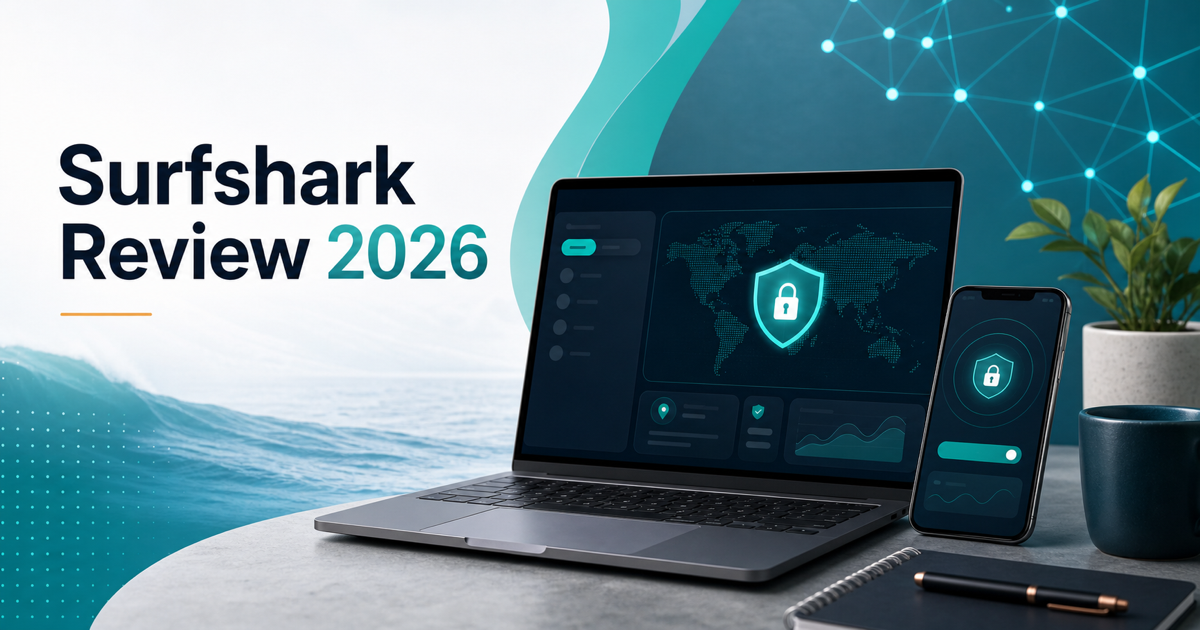


Surfshark Review 2026: Is It Worth It for Small Businesses?
Surfshark Review 2026: Is It Worth It for Small Businesses?
Surfshark is one of the easiest VPNs to recommend to cost-conscious teams because it solves a simple problem well: protecting a lot of devices without making every user, contractor, and family device a separate billing event. That matters for small businesses where people work from home, travel, use hotel Wi-Fi, share coworking networks, and often blend work and personal devices more than anyone wants to admit.
We reviewed Surfshark for the small-business buyer, not just the solo streaming user. We checked the current public pricing structure, device support, server network, privacy posture, core VPN controls, security bundle features, support model, add-ons, and realistic alternatives like NordVPN, Proton VPN, and Mullvad.
The short version: Surfshark is worth it if you want an affordable VPN with unlimited device connections, modern apps, strong privacy basics, ad and tracker blocking, and optional identity/security extras. It is less ideal if you need a dedicated business VPN with centralized user provisioning, detailed device compliance, site-to-site networking, or strict procurement controls.
Quick Comparison Table
| Tool | Best For | Starting Price | Free Plan | Rating |
|---|---|---|---|---|
| Surfshark | Budget-friendly VPN coverage across unlimited devices | Promo pricing commonly starts around $2-$3/mo on long plans | No | 4.6/5 |
| NordVPN | Fast premium VPN with a broader security ecosystem | Promo pricing commonly starts around $3-$5/mo on long plans | No | 4.7/5 |
| Proton VPN | Privacy-first users who want a serious free tier and Swiss jurisdiction | Free / paid plans commonly start around $4-$10/mo | Yes | 4.5/5 |
| Mullvad | Flat-price privacy purists who dislike account-based billing | EUR5/mo | No | 4.4/5 |
1. Surfshark: Best for Affordable Multi-Device VPN Coverage
Overview
Surfshark is a consumer-first VPN that has grown into a broader privacy and lightweight security suite. The core VPN covers Windows, macOS, Linux, iOS, Android, browser extensions, Android TV, Apple TV, Fire TV, routers, and manual setups for devices that do not run native apps. The headline feature is still unlimited simultaneous connections. That means one subscription can cover a founder’s laptop, a bookkeeper’s phone, a travel tablet, a family desktop, and a streaming device without hitting a device cap.
The server network is also competitive. Surfshark advertises 4,500+ servers in 100 countries, with all servers upgraded to 10Gbps. For small teams, that matters less as a vanity number and more as day-to-day usability: people need nearby servers, stable connections, and enough location choice to avoid slow or blocked routes when traveling.
The product is not a full enterprise access platform. It will not replace a zero-trust network access tool, an MDM policy, or a managed firewall. But for a small company that mainly needs safer public Wi-Fi, IP masking, basic tracker blocking, and a low-friction way to protect many devices, Surfshark hits the practical middle.
Key Features
- Unlimited device connections: Use one subscription across as many devices as you need, which is the biggest practical advantage over many VPN rivals.
- Large VPN server network: 4,500+ servers across 100 countries give remote workers and travelers plenty of location options.
- Modern VPN controls: Includes WireGuard support, auto-connect, quick-connect, kill switch, split tunneling through Bypasser, pause VPN, and static IP server choices.
- Privacy extras: Dynamic MultiHop, obfuscated servers, NoBorders mode, IP Rotator, and Android GPS override help in more restrictive or privacy-sensitive environments.
- CleanWeb: Blocks ads, trackers, cookie pop-ups, and malicious sites at the VPN/browser-extension layer.
- Alternative ID: Generates an alternate name and email identity for signups, forms, and lower-trust sites. It is included with all bundles.
- Optional security bundle: Surfshark One adds antivirus, breach alerts, and private search. One+ adds data removal through Incogni in supported regions.
- Support and refund window: 24/7 support is available, and the standard money-back period is 30 days.
Pricing
Surfshark uses promotional pricing heavily, so the exact monthly equivalent changes by country, taxes, coupons, plan length, and current campaign. The useful way to read the pricing is by tier:
- Starter: Core VPN, unlimited devices, CleanWeb, Alternative ID, and the standard privacy controls. This is the best fit if you only need VPN protection.
- One: Adds antivirus, data breach alerts, webcam protection on supported devices, and private search. This is the better fit if you want one subscription to cover basic endpoint and identity monitoring needs.
- One+: Adds personal data removal through Incogni in supported countries. This is for users who care about broker-listing cleanup more than raw VPN value.
Public review and deal pages in mid-2026 commonly show long-term Surfshark pricing in the $2-$4 per month range when billed upfront for one-year or two-year plans, while month-to-month pricing is much higher. That is the important caveat: Surfshark is a bargain when you commit, but the monthly plan is not the value play.
For a small business, the Starter tier is usually enough unless you specifically want the antivirus and breach monitoring bundle. If you already use a dedicated antivirus, password manager, and identity-monitoring service, One may duplicate tools you already pay for.
Pros
- Unlimited simultaneous device connections are excellent for small teams, contractors, and families.
- Long-term promo pricing is very competitive.
- Apps are polished and beginner-friendly.
- Server footprint is broad enough for frequent travelers.
- CleanWeb, Alternative ID, and cookie pop-up blocking add real everyday convenience.
- Split tunneling and kill switch cover the important VPN basics.
- One and One+ bundles can reduce vendor sprawl for very small teams.
- 30-day refund window makes trialing the service low-risk.
Cons
- Month-to-month pricing is expensive compared with the promoted long-term rates.
- Renewal pricing can differ from the first-term deal, so you need to check the renewal terms before buying.
- It is not a managed business VPN with centralized provisioning, policy enforcement, audit logging, or SSO controls.
- Antivirus and identity extras are useful but not a replacement for a serious endpoint security stack.
- Some privacy-focused buyers will prefer providers with simpler flat pricing and less bundled marketing.
- Dedicated IP and Alternative Number are add-ons, not part of the base VPN.
Who It’s Best For
Surfshark is best for freelancers, founders, remote workers, consultants, and very small businesses that need affordable VPN coverage across many devices. It is also a strong fit for households where work devices, personal devices, tablets, and streaming hardware all need protection under one subscription. Choose Surfshark when unlimited devices, low long-term pricing, and ease of use matter more than enterprise administration.
2. NordVPN: Best for Premium VPN Performance
Overview
NordVPN is the closest mainstream alternative for buyers comparing premium consumer VPNs. It usually costs more than Surfshark, especially when device limits matter, but it has a very polished app experience, strong speed reputation, a large server footprint, and a broader security product family around it.
The decision is mostly about tradeoffs. Surfshark wins on unlimited devices and value. NordVPN wins if you want the more established premium VPN brand, consistently strong performance, and a security bundle that can expand into password management, file encryption, cloud storage, and identity protection.
For small businesses, NordVPN also has a clearer upgrade path toward business-oriented services through the larger Nord Security ecosystem. That does not mean every team needs it, but it can matter if you expect to outgrow consumer VPN accounts.
Key Features
- Fast VPN protocol: NordLynx is NordVPN’s WireGuard-based protocol focused on speed and privacy.
- Threat protection: Blocks malicious domains, trackers, and some risky downloads depending on app and plan.
- Specialty servers: Includes options such as Double VPN, Onion Over VPN, P2P, and obfuscated servers.
- Cross-platform apps: Covers major desktop, mobile, browser, and streaming platforms.
- Dedicated IP option: Useful for remote access workflows where shared VPN IP addresses trigger account challenges.
- Security ecosystem: Can pair with NordPass, NordLocker, and identity protection products if you want one vendor family.
Pricing
NordVPN usually offers monthly, one-year, and two-year terms across Basic, Plus, Complete, and Prime-style bundles depending on current packaging. Promo prices change often, but long-term plans commonly land in the $3-$6 per month range before taxes, while monthly plans are much higher.
The Basic plan is the VPN-only option. Plus-style bundles add password management and breach monitoring. Higher tiers add encrypted storage or broader identity protection. For most small-business buyers who already use a password manager and backup stack, the Basic VPN plan is the cleanest comparison against Surfshark Starter.
Pros
- Excellent mainstream VPN reputation.
- Strong speeds and polished apps.
- Good specialty server options.
- Broader security ecosystem than most VPN-only tools.
- Dedicated IP is available for teams that need a more consistent address.
- Good fit for buyers who want a premium VPN and do not mind paying more.
Cons
- Device limits make it less flexible than Surfshark for large households or device-heavy teams.
- Usually costs more once you compare equivalent long-term plans.
- Bundles can overlap with tools a business already uses.
- Still not a substitute for business-grade identity, endpoint, and network access controls.
Who It’s Best For
NordVPN is best for users who want a premium VPN with consistently strong performance, mature apps, and a larger security ecosystem. Choose NordVPN over Surfshark if speed reputation, brand maturity, and add-on security products matter more than unlimited devices and the lowest long-term cost.
3. Proton VPN: Best for Privacy-First Users
Overview
Proton VPN is the strongest alternative for buyers who care more about privacy philosophy than promotional pricing. It is part of the Proton ecosystem, which also includes Proton Mail, Proton Pass, Proton Drive, and Proton Calendar. The product leans into transparency, open-source apps, independent audits, Swiss jurisdiction, and a genuinely usable free plan.
Compared with Surfshark, Proton VPN feels less like a deal-driven VPN bundle and more like part of a privacy operating system. That is appealing if your team already uses Proton Mail or Proton Pass. It is less compelling if your main buying question is “how cheaply can I protect every device?”
For small businesses, Proton VPN makes the most sense when the company culture is already privacy-conscious, or when the team wants email, password management, storage, and VPN from one privacy-focused vendor.
Key Features
- Free VPN plan: One of the few reputable free VPN options, useful for testing or occasional users.
- Open-source apps: Proton publishes app source code and emphasizes independent audits.
- Secure Core: Routes traffic through hardened privacy-friendly countries before exiting to the destination country on supported paid plans.
- NetShield: Blocks malware, ads, and trackers on paid plans.
- Broad Proton ecosystem: Pairs naturally with Proton Mail, Proton Pass, Proton Drive, and Proton Calendar.
- Cross-platform support: Covers major desktop, mobile, and browser platforms.
Pricing
Proton VPN has a free plan plus paid plans. Exact prices vary by term and bundle, but the standalone paid VPN commonly sits around the mid-single-digit monthly range on longer commitments and closer to $10 monthly on flexible billing. Proton Unlimited costs more but bundles Mail, Pass, Drive, Calendar, and VPN.
The free plan is the big differentiator. It is not the same as a paid VPN plan, but it gives privacy-conscious users a legitimate way to try the product without handing over a credit card. Surfshark does not have that kind of always-free tier.
Pros
- Strong privacy positioning and transparent product philosophy.
- Useful free plan from a reputable provider.
- Good fit if you already use Proton Mail or Proton Pass.
- Secure Core and NetShield are meaningful privacy/security features.
- Less dependent on aggressive coupon-style positioning than many VPNs.
- Strong option for users who care about jurisdiction and audits.
Cons
- Paid plans are usually not as cheap as Surfshark long-term promos.
- Free plan has limitations and is not meant for every business workflow.
- Device and feature packaging can be less attractive for device-heavy households.
- Business buyers may still need separate endpoint, identity, and admin tooling.
Who It’s Best For
Proton VPN is best for privacy-first individuals and small teams that already trust the Proton ecosystem. Choose Proton VPN if transparency, free access, Swiss privacy positioning, and a broader privacy suite matter more than getting the lowest long-term VPN price across unlimited devices.
4. Mullvad: Best for Flat-Price Privacy Purists
Overview
Mullvad is the odd one out in this comparison, and that is exactly the point. It avoids most of the standard VPN marketing playbook: no long-term discount maze, no account email requirement, no influencer coupon circus, and no massive bundle of identity extras. You get a random account number, pay a flat monthly price, and use the VPN.
Compared with Surfshark, Mullvad is less friendly for mainstream buyers who want streaming polish, bundled antivirus, or identity extras. But for people who want a VPN provider that feels deliberately minimal and privacy-focused, Mullvad is one of the cleanest options.
For small businesses, Mullvad is a niche fit. It can work for technical users who want simple VPN privacy on a few devices. It is not the right pick for teams that want marketing-friendly dashboards, phone support, bundled tools, or easy procurement workflows.
Key Features
- Flat pricing: EUR5 per month with no long-term plan games.
- Account-number model: No email address is required to create an account.
- WireGuard and OpenVPN support: Covers the important VPN protocols.
- Transparent privacy posture: Strong reputation among privacy-focused users.
- Cross-platform apps: Supports major desktop and mobile systems.
- Port-forwarding-free model: Simpler and more privacy-focused, though less flexible for some power users.
Pricing
Mullvad costs EUR5 per month. That is it. There is no two-year discount, no first-term teaser rate, and no renewal-price trap. Depending on exchange rates, it can cost more than Surfshark on a long-term promo, but it can cost less than premium VPNs on flexible monthly billing.
The pricing is easiest to understand of any provider here. The tradeoff is that you do not get the mainstream bundle extras that Surfshark, NordVPN, and Proton VPN use to justify higher plans.
Pros
- Simple flat pricing.
- Strong privacy reputation.
- No email-based account is required.
- Good fit for technical and privacy-focused users.
- Avoids the confusing renewal math common in the VPN category.
- No pressure to buy bundled security extras.
Cons
- No affiliate link or commercial relationship for SaaS Compared at publish time.
- Less mainstream-friendly than Surfshark or NordVPN.
- Fewer bundled identity and security features.
- Not a managed business VPN.
- Can be more expensive than long-term promotional VPN deals.
Who It’s Best For
Mullvad is best for privacy purists who want simple flat pricing and minimal account data. Choose Mullvad if you distrust coupon-heavy VPN marketing and would rather pay a transparent monthly price. Choose Surfshark instead if you need unlimited devices, mainstream app polish, and more convenience features for nontechnical users.
Small-Business Fit: Where Surfshark Works and Where It Does Not
Surfshark works best as a practical personal and team-adjacent privacy layer. If employees travel, use coworking networks, connect from hotels, or need to reduce tracking on personal devices, it is useful. The unlimited-device model is the key business advantage because it removes the “which devices count?” conversation.
It is also useful for very small operations where security tooling is still immature. A five-person agency may not have MDM, endpoint detection, secure web gateway, or formal network access controls. Surfshark is not a substitute for those systems, but it is better than sending everyone onto airport Wi-Fi with no protection at all.
Where Surfshark does not fit is managed access. If you need to restrict access to internal apps by identity, issue per-user policies, enforce device posture, integrate with Okta or Microsoft Entra ID, centralize logs, or terminate access automatically when someone leaves, you need business VPN, ZTNA, SASE, or identity-aware proxy tooling instead.
The right mental model is simple: Surfshark protects internet traffic on devices. It does not manage your business network.
Final Verdict
Surfshark is one of the best-value VPNs in 2026 because it combines unlimited device connections, competitive long-term pricing, a large server network, friendly apps, CleanWeb, Alternative ID, and optional security extras. For a solo consultant, freelancer, founder, or very small team, it is an easy way to cover a lot of devices without turning VPN protection into another expensive per-seat tool.
Choose Surfshark if you want affordable VPN coverage across unlimited devices and do not need enterprise administration.
Choose NordVPN if you want a premium VPN with strong performance reputation and a broader security ecosystem.
Choose Proton VPN if you care most about privacy transparency, a reputable free plan, and the Proton suite.
Choose Mullvad if you want simple flat pricing and a privacy-first provider without promotional pricing games.
Our pick for most cost-conscious small-business users is Surfshark because unlimited devices are genuinely useful in messy real-world operations. Just read the renewal terms before buying, and do not mistake a consumer VPN for a managed business access platform.
Last updated: July 1, 2026. Pricing and feature details were checked against public provider pages and current comparison sources in July 2026. Some links in this article are affiliate links, which means we may earn a commission at no extra cost to you.
Related Reviews
 NordVPN Surfshark
 NordVPN vs Surfshark vs Proton VPN: Which VPN Is Best in 2026?
We compared NordVPN, Surfshark, and Proton VPN on speed, privacy, and pricing to find the best VPN for most users in 2026.
 NordVPN
  ExpressVPN Surfshark
 Best VPN Services in 2026: Speed, Privacy & Value Compared
We tested the top VPN services for speed, privacy, and streaming. Compare NordVPN, ExpressVPN, Surfshark, Mullvad, and ProtonVPN on what actually matters.
 Proton Drive
 Proton Suite Review 2026: Mail, VPN, Drive, and Pass Compared
We reviewed Proton Mail, Proton VPN, Proton Drive, and Proton Pass to see whether Proton Unlimited is worth it for small businesses.