Best Cybersecurity Stack for Small Business 2026: VPNs, Password Managers & Privacy Tools Compared
Best Cybersecurity Stack for Small Business 2026: VPNs, Password Managers & Privacy Tools Compared
Small businesses get hit with the same problems as big ones, just without the budget or the staff. Phishing, credential stuffing, public Wi-Fi risk, and sloppy password reuse are still the fastest way to turn a normal Tuesday into a cleanup project. A solid cybersecurity stack does not have to be fancy. It has to be boring, layered, and hard to break.
We looked at the tools that make the biggest difference for most small teams: NordVPN, Proton VPN, 1Password, NordPass, Proton Pass, and Keeper Security. We focused on security model, sharing, admin controls, ease of rollout, and price, because that is what matters when you are trying to protect real people, not impress a procurement deck.
Quick Comparison Table
| Tool | Best For | Starting Price | Free Plan | Rating |
|---|---|---|---|---|
| NordVPN | Fast, simple VPN protection | About $2.99/mo | ❌ | ⭐⭐⭐⭐⭐ |
| Proton VPN | Privacy-first teams and remote work | Free / $2.99/mo paid | ✅ | ⭐⭐⭐⭐⭐ |
| 1Password | Best overall password manager for teams | $2.99/mo | ❌ | ⭐⭐⭐⭐⭐ |
| NordPass | Budget-friendly password storage | $1.59/mo | ✅ | ⭐⭐⭐⭐ |
| Proton Pass | Simple privacy-focused credential storage | Free / paid upgrades | ✅ | ⭐⭐⭐⭐ |
| Keeper Security | Security-heavy teams that want strong controls | $2.00/user/mo | ❌ | ⭐⭐⭐⭐ |
1. NordVPN: Best for fast, reliable VPN coverage
Overview
NordVPN is the easiest VPN to recommend when you want something fast, familiar, and low-friction. It is not the most technical option and that is exactly why a lot of small teams will like it. Install it, sign in, turn it on, and move on with your life.
For remote workers, contractors, and people who travel a lot, NordVPN gives you a clean baseline: encrypted traffic on public networks, decent device support, and extras like threat blocking and malware-adjacent filtering depending on plan. It is the kind of tool you keep on all the time and only notice when you need it.
Key Features
- Large server network: useful for speed, location flexibility, and basic geo-testing
- Threat protection features: blocks known malicious domains and sketchy downloads on supported plans
- Multiple device support: useful for laptops, phones, and travel gear
- Kill switch: cuts traffic if the VPN disconnects unexpectedly
- Easy onboarding: the interface is simple enough for non-technical users
Pricing
- Basic: about $2.99/mo on longer-term plans
- Plus: around $3.89/mo on longer-term plans, adds more protection features
- Complete: higher tier with more bundled services
- Free: none
Pros
- Fast and straightforward
- Good for mixed technical teams
- Strong brand recognition
- Easy to deploy for remote workers
- Useful bundled security extras
Cons
- No free plan
- Can feel subscription-heavy
- Business use can still require policy discipline
- Not as privacy-purist as Proton
Who It’s Best For
Choose NordVPN if you want a simple VPN that most employees will actually use. It is the safest bet for teams that care more about adoption than tinkering.
2. Proton VPN: Best for privacy-first teams and flexible remote access
Overview
Proton VPN is the best choice if privacy is the starting point, not an afterthought. Proton has built a reputation around encryption, transparency, and an ecosystem that does not revolve around ad tech nonsense. That matters for small businesses that want a cleaner trust story.
The free plan is the big deal here. It gives cautious teams a way to standardize VPN usage without forcing day-one spend, and the paid plans add more server choice, speed, and connection capacity. If you have a remote team, a few contractors, or anyone hopping on coffee shop Wi-Fi like it is 2014, Proton VPN makes a lot of sense.
Key Features
- Free plan: no data limits and no artificial speed caps on the free tier
- Strong privacy posture: built around encrypted services and a privacy-first brand
- Wide server coverage: paid plans unlock a much larger server set
- Kill switch and always-on options: good for mobile and travel users
- Cross-platform apps: desktop and mobile support are solid
Pricing
- Free: included
- VPN Plus: about $2.99/mo on longer-term plans
- Higher tiers: more bundled Proton services depending on plan
Pros
- Best free VPN option in this roundup
- Strong privacy branding and trust model
- Good paid value on long plans
- Easy for non-technical users
- Fits privacy-conscious teams well
Cons
- Free plan is limited in server choice
- Paid plan structure can get confusing
- Fewer mainstream “extras” than NordVPN
- Not the cheapest if you only need a VPN occasionally
Who It’s Best For
Choose Proton VPN if your business cares about privacy messaging and you want a free or low-cost VPN that employees can use without drama. It is the cleanest fit for security-minded teams that do not want bloat.
3. 1Password: Best overall password manager for small teams
Overview
1Password is still the password manager we would hand to most small businesses first. It is polished, consistent, and strong on both security and usability, which is the rare combo that actually matters in real life. If your team hates tooling friction, this is the one that gets out of the way.
What makes 1Password stand out is the combination of good UX and real admin features. Shared vaults, passkeys, built-in 2FA storage, SSH key support, and watchtower-style risk monitoring make it useful for more than just logins. It is a proper team credential system, not just a browser extension with a premium badge.
Key Features
- Secret Key plus master password: adds a second layer to vault protection
- Shared vaults: clean credential sharing for teams and departments
- Watchtower: flags weak, reused, and breached passwords
- Passkey support: increasingly important as more services move away from passwords
- SSH and secrets support: useful for technical teams and admins
Pricing
- Individual: $2.99/mo billed annually
- Families: $4.99/mo billed annually
- Teams Starter: $19.95/mo up to 10 users
- Business: $7.99/user/mo
- Free: no free tier
Pros
- Best overall balance of security and usability
- Excellent team sharing model
- Strong passkey and 2FA support
- Great for mixed technical and non-technical staff
- Trusted, mature product
Cons
- No free plan
- Pricier than some alternatives
- Can feel like overkill for solo users
- Slight learning curve for first-time setup
Who It’s Best For
Choose 1Password if you want the least annoying password manager that still feels serious. For most small businesses, this is the default answer.
4. NordPass: Best budget password manager with a clean UI
Overview
NordPass is what you buy when you want password management to be affordable and easy to explain. It is simpler than 1Password, but for many small teams that is not a bug. It is a feature.
The interface is straightforward, the free plan lowers the barrier to entry, and the paid tiers start cheap enough that it is easy to justify for a whole team. If you need to get people off spreadsheets, shared notes, or browser-saved passwords without starting a religious war, NordPass does the job.
Key Features
- Free plan: good for testing or solo users
- XChaCha20 encryption: modern encryption approach
- Password health tools: helps identify weak or reused credentials
- Secure sharing: pass credentials without sending them in chat
- Cross-device sync: convenient across desktop and mobile
Pricing
- Free: included
- Premium: starts around $1.59/mo
- Family and business tiers: available for teams
Pros
- Cheap entry point
- Free plan available
- Easy to use
- Good for small teams on a budget
- Backed by a recognizable security brand
Cons
- Less feature-rich than 1Password
- Business controls are not as deep
- Fewer power-user features
- Can feel minimal if your team is security-obsessed
Who It’s Best For
Choose NordPass if your team needs a cheap, simple password manager and does not want to pay for bells and whistles you will never use.
5. Proton Pass: Best privacy-first password manager for lightweight use
Overview
Proton Pass is the natural pick if you already like Proton’s ecosystem or want a password manager with a very privacy-forward feel. It is less mature than 1Password, but it is clean, modern, and easy to adopt. For many people, that is enough.
The free plan gives you a real way to start without a credit card commitment, and the broader Proton ecosystem makes it attractive for businesses that want to keep email, VPN, and credentials in the same privacy family. If your stack already leans Proton, Proton Pass fits nicely.
Key Features
- Free plan: useful for individual users or pilots
- Privacy-first design: strong fit for the Proton ecosystem
- Password generation and storage: core functions are straightforward
- Email aliasing support: useful for reducing spam and tracking
- Cross-platform access: browser, desktop, and mobile support
Pricing
- Free: included
- Paid plans: available with more storage and features
- Business tiers: bundled inside Proton pricing options
Pros
- Strong privacy posture
- Free plan available
- Easy to use
- Good fit with other Proton tools
- Clean, modern interface
Cons
- Fewer advanced admin features than 1Password or Keeper
- Not ideal for complex team policy setups
- Less established than the longest-running competitors
- Feature depth is still catching up
Who It’s Best For
Choose Proton Pass if you want a simple, privacy-centered password manager and you do not need the deepest admin controls. It is a good fit for lean teams and privacy-minded founders.
6. Keeper Security: Best for security-heavy teams that want granular control
Overview
Keeper Security is the most enterprise-leaning option in this group. It is built for teams that care a lot about policy enforcement, auditing, and control. If your business has more security process than personality, Keeper will feel familiar.
We would not call it the friendliest option, and it is not the cheapest either, but it does give admins more knobs to turn. That is useful when you need to manage access across a team, contractor pool, or compliance-heavy environment.
Key Features
- Granular admin controls: useful for policy-driven teams
- Secure sharing and vaults: lock down credentials by role
- Security reporting: helps identify weak points in user behavior
- Business and enterprise tiers: scales with the organization
- Cross-platform support: desktop, browser, and mobile coverage
Pricing
- Business Starter: around $2/user/mo
- Business: around $4/user/mo
- Enterprise: around $6/user/mo
- Free: no free tier
Pros
- Strong admin and policy controls
- Good fit for compliance-oriented teams
- Scales well for structured orgs
- Competitive team pricing at the low end
- Solid security reputation
Cons
- No free plan
- Less polished than 1Password for everyday use
- Can feel heavy for very small teams
- Pricing can climb as you add features
Who It’s Best For
Choose Keeper Security if your team needs more governance than simplicity. It is best when security policy matters more than elegance.
Final Verdict
For most small businesses, the safest stack is simple: 1Password for passwords, NordVPN for VPN coverage, and Proton VPN if you want a privacy-first free option for remote staff.
Choose 1Password if you want the best overall password manager. Choose NordPass if you want the cheapest easy-to-use password manager. Choose Keeper Security if you need deeper admin controls. Choose NordVPN if you want the simplest paid VPN. Choose Proton VPN if you want the best free privacy-friendly VPN. Choose Proton Pass if you want a lightweight privacy-first password manager.
Our pick for most users is 1Password, because it gets the balance right, and boring security tools are usually the best ones.
Related Reviews
 NordVPN
  Surfshark
 NordVPN vs Surfshark vs Proton VPN: Which VPN Is Best in 2026?
We compared NordVPN, Surfshark, and Proton VPN on speed, privacy, and pricing to find the best VPN for most users in 2026.
 NordVPN
  ExpressVPN Surfshark
 Best VPN Services in 2026: Speed, Privacy & Value Compared
We tested the top VPN services for speed, privacy, and streaming. Compare NordVPN, ExpressVPN, Surfshark, Mullvad, and ProtonVPN on what actually matters.
 Surfshark NordVPN
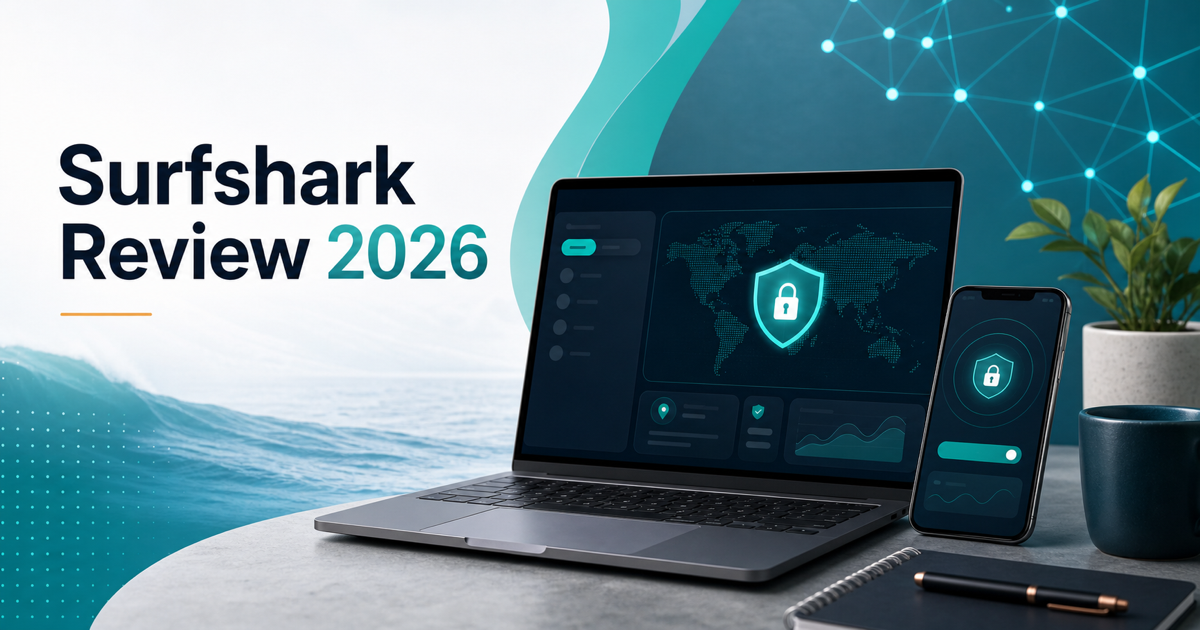
 Surfshark Review 2026: Is It Worth It for Small Businesses?
Surfshark review for 2026: pricing, VPN features, security tools, pros, cons, alternatives, and whether it fits small businesses.